
Build your KS3 computing curriculum plan without losing your weekends.
Only £7. Spreadsheet plus custom GPT for coverage checks and ready to paste copy.
Everything you need to plan KS3 computing and write it up fast:
Build a clear Year 7 to 9 sequence that fits your timetable
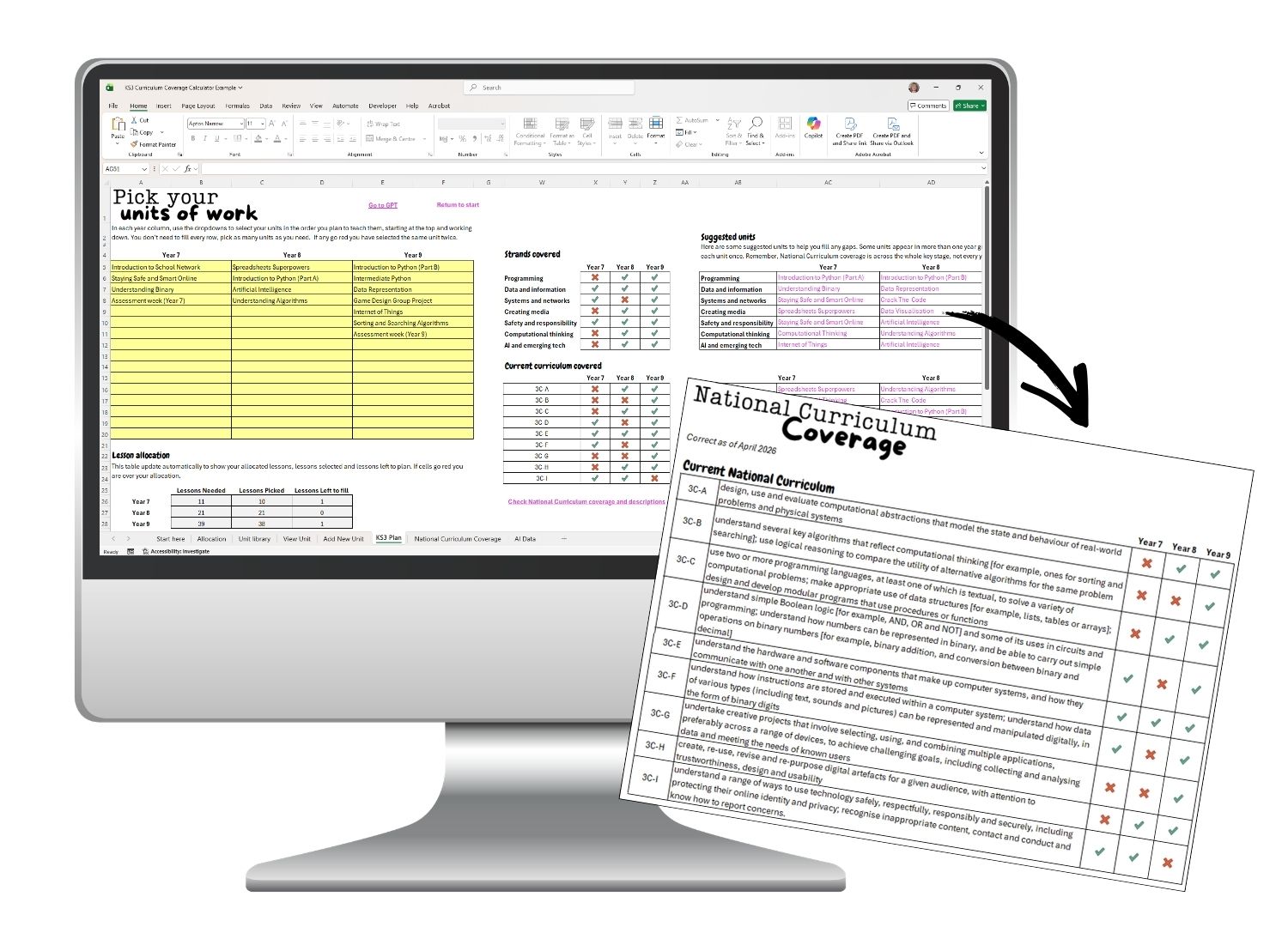
See computing strands and National Curriculum coverage at a glance
Spot gaps early and fix them before you start writing
Generate SLT and website copy in minutes
Create an Ofsted friendly intent, implementation and impact narrative
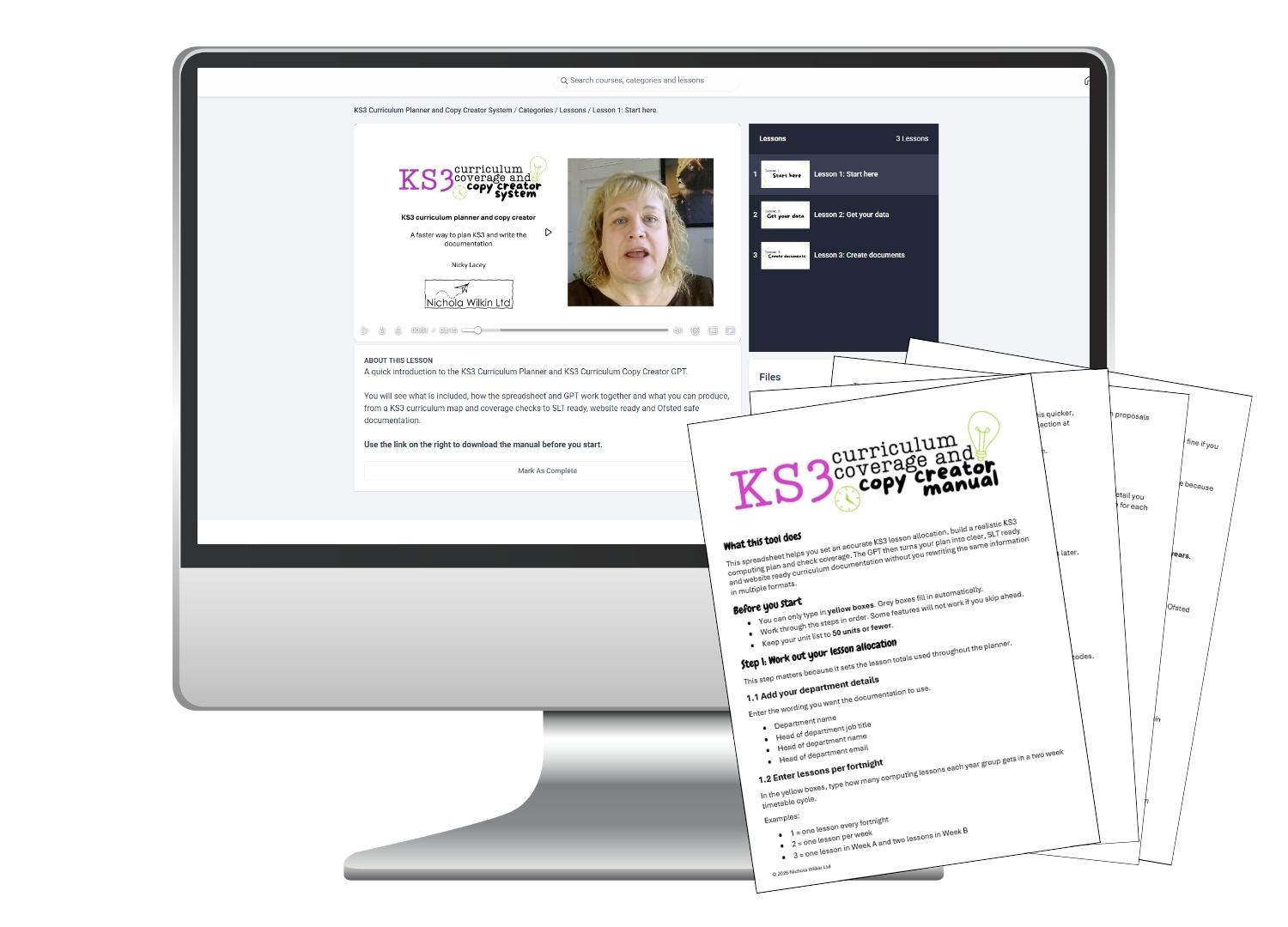
What you get
This system adapts to your school. Build your KS3 plan in the spreadsheet, then use the GPT to generate the documents you need.
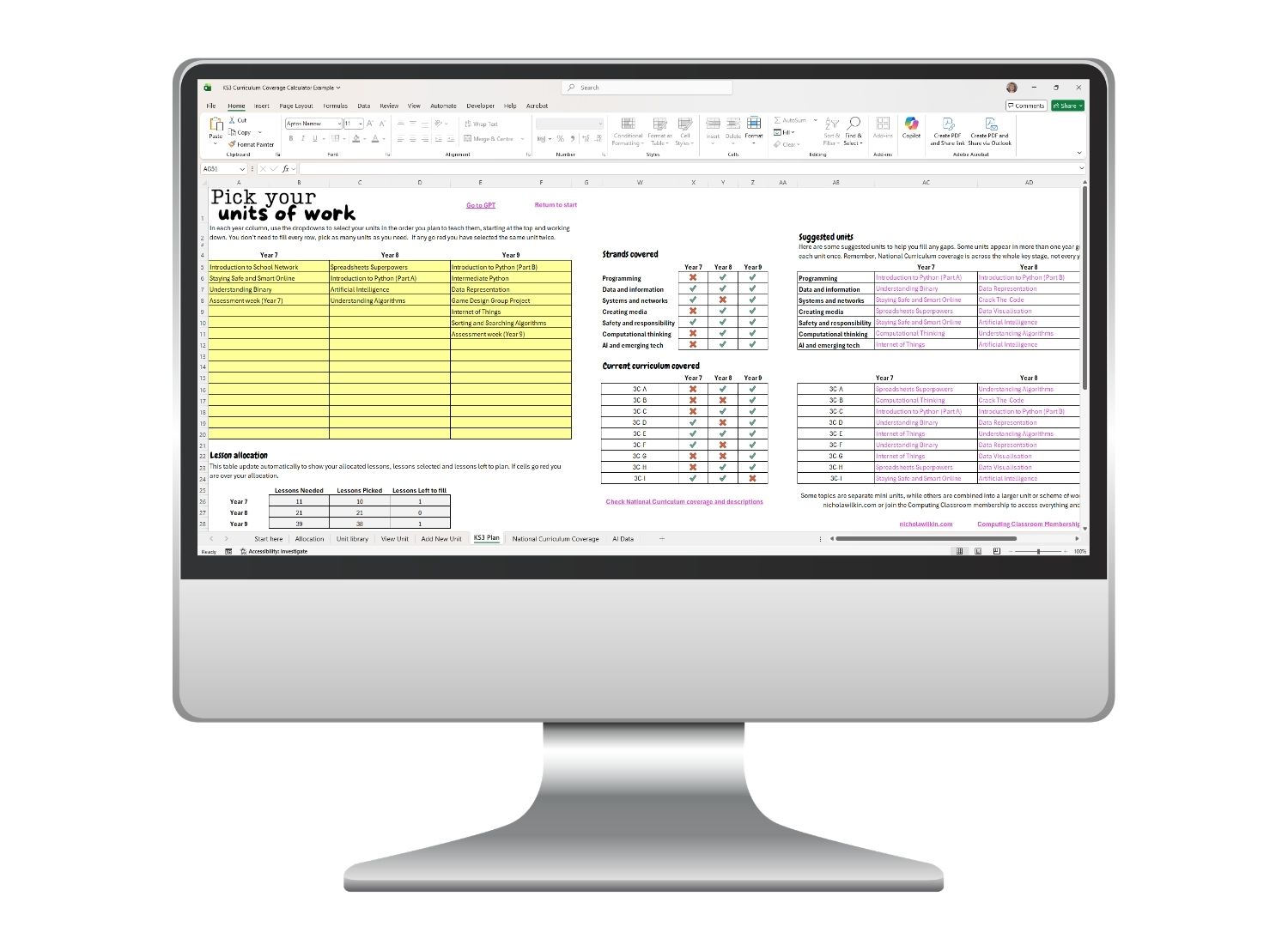
KS3 curriculum planner spreadsheet
An easy to use spreadsheet that collects your curriculum data in one place. Build your Year 7 to 9 sequence, track lesson totals and spot strand and National Curriculum gaps quickly.
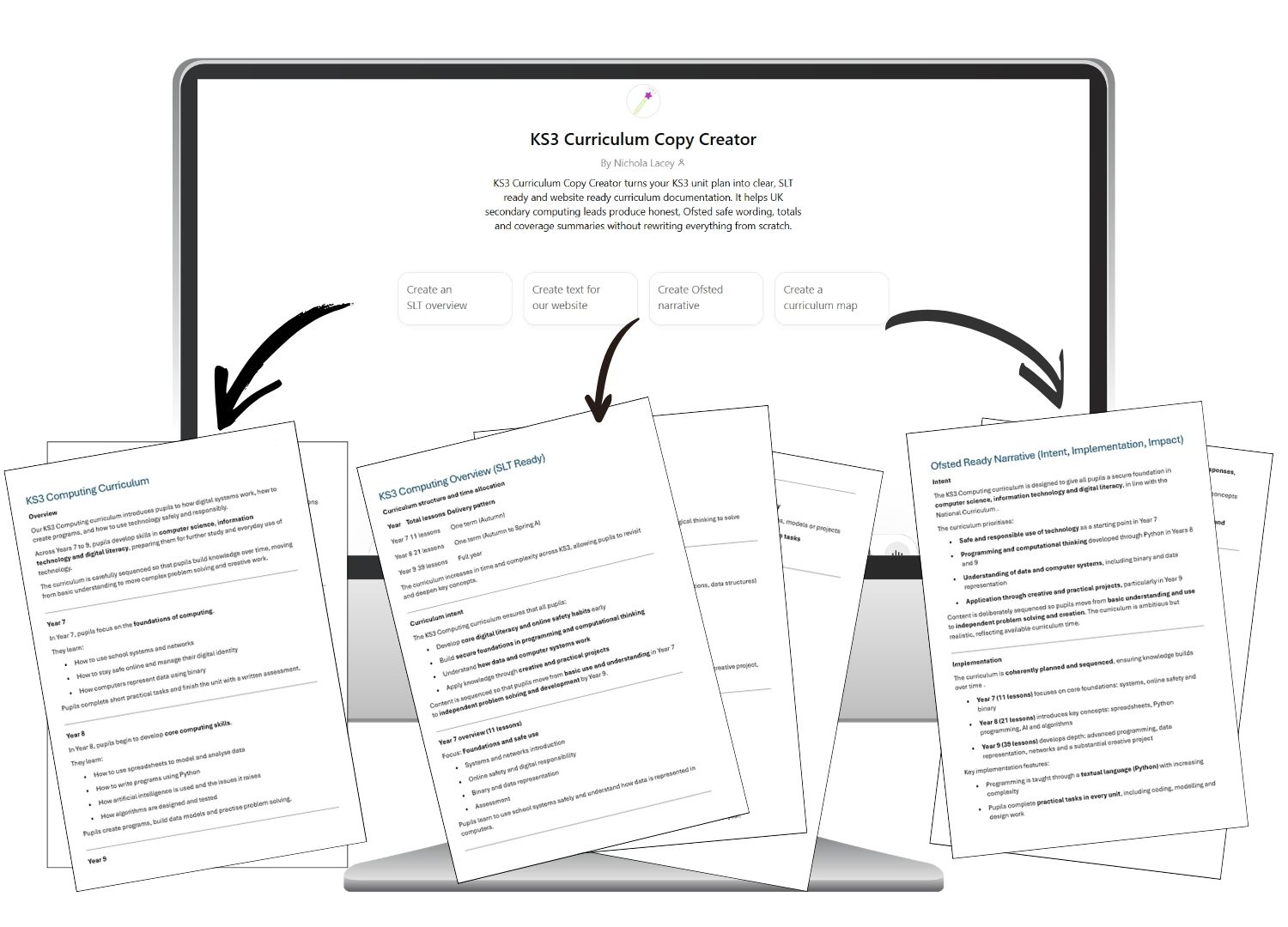
KS3 Curriculum Copy
Creator GPT
A custom GPT that turns your data into clear, documentation. Generate SLT reports, website text, curriculum maps or Ofsted summaries from one set of data.
Walkthrough videos
and manual
Videos and a step by step manual guide you through the full process. Follow along, pause when you need to and complete your plan and documents without guesswork.
Ready to use, easy to adapt and built to save you hours on KS3 curriculum planning and documentation for
only £7.

Saves you
time
Plan your KS3 curriculum once, using your real timetable, then reuse the same data for every document you need.

Makes coverage
clear
See strands and National Curriculum coverage at a glance so you can spot gaps early and fix them fast.

Writes it up
for you
Turn your plan into SLT ready and website ready copy in minutes, including an Ofsted friendly intent, implementation and impact narrative.

Created by a teacher who understands the pressure
I’m Nicky, a qualified computing teacher and former Head of Department.
I know what it feels like to be responsible for KS3 curriculum planning, coverage checks and the documentation SLT expect, all at the same time.
That’s why I created this system. It helps you build a realistic Year 7 to 9 plan that fits your timetable, check strand and National Curriculum coverage across the key stage and generate clear, consistent wording for your website, SLT and Ofsted.
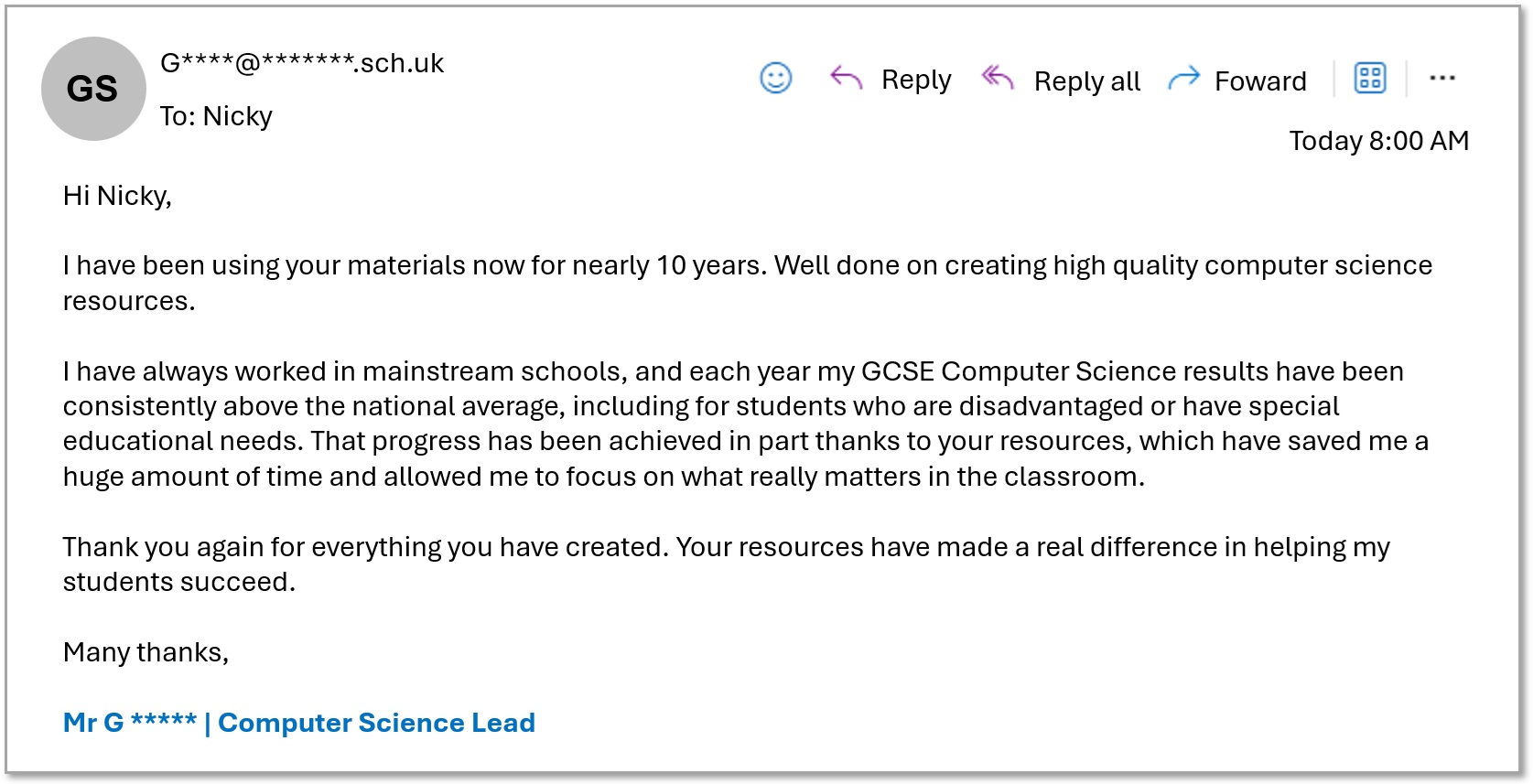
My work has supported over two million teachers worldwide and I’ve written for Cambridge University Press and BBC Bitesize. You can feel confident you’re using a tool that is practical, teacher tested and built for real schools.
You’ll love this if you...
want a clear KS3 computing curriculum plan without starting from scratch
need to check strands and National Curriculum coverage across Year 7 to 9
are tired of rewriting the same curriculum information for SLT, your website and Ofsted
want wording that is honest, tight and easy to defend
need a plan your whole department can follow without constant clarification

Who is this perfect for?
KS3 Computing curriculum leads
Computing heads of department
Early career computing subject leads
Frequently Asked Questions
Not sure if it will work for your school? Here are clear answers to the questions most KS3 leads ask before they buy.
Is this for lesson planning?
No. This is for your overall KS3 curriculum plan. It helps you sequence units across Year 7 to 9, check coverage and generate the documentation you need.
Will it work with our timetable and half term structure?
Yes. You enter your lesson allocation and the half terms you teach computing. The spreadsheet calculates totals so your plan fits your real time.
Do I need to cover every National Curriculum statement every year?
No. Coverage is across the whole key stage. The system helps you check that the current National Curriculum is covered across Years 7 to 9.
Do I need to be confident with AI to use the GPT?
No. You copy one block of data from the AI Data sheet, paste it into the customised GPT as plain text and choose what you want to generate.
What documents can it create?
SLT overview, website copy, curriculum maps, coverage summaries and an Ofsted friendly intent, implementation and impact narrative along with any other documentation you can think of about the KS3 curriculum.
Do I need to check the text before I use it?
Yes. Always read through and tweak the output before you paste it into any official documents. The GPT writes from the data you provide, so it is only as accurate as your unit choices and notes.
Get the full KS3 curriculum planner and GPT for only £7 and save hours of planning time.
If you’re having trouble checking out today, you’re not doing anything wrong and it seems to be a browser issue.
Quick fixes to try
Try a different browser (Chrome usually works best)
Try on your phone or a different device
Still stuck? Email me and I’ll sort it for you
Email [email protected] with your school name and school address and I can send an invoice instead.
Thanks so much for your patience while I work around this.
Empowering computing teachers with accessible, quality computer science lessons.
© 2026 Nichola Wilkin Ltd