
AI Proof Homework Tasks
5 exciting AI challenges to transform your computing lessons and homework
AI isn’t going away and pupils know it.
Many are already using AI tools at home and more than a few have said they want to learn how to use it properly, not just for shortcuts.
The truth is, the way we set homework and classroom tasks needs to change. Old-style questions and traditional coding challenges just don’t work when pupils can get instant answers from AI.
But that doesn’t mean AI is the enemy. In fact, it’s a brilliant opportunity.

This guide gives you five practical activities that turn AI from a shortcut into a learning partner.
Each one is designed to help your pupils build real skills: critical thinking, digital literacy, coding confidence and the ability to question and reflect.
Instead of just copying answers, pupils will debate, investigate, experiment and explain. They’ll see AI as a tool for deeper understanding, not just a way to finish homework faster.
You’ll find clear instructions, tried-and-tested prompts and ideas for using these activities as homework, in class or even as whole class challenges. These tasks are easy to set up, practical and relevant.
They help pupils get the most out of AI. Learning how to ask better questions, spot dodgy information, explain their thinking and become more independent learners.
If you want your pupils to use AI well and build skills for life, these activities are a great place to start.
Debate with AI: build critical thinking and communication skills
Turn your classroom into a thinking hub with this AI-powered debate activity. Pupils go head-to-head with AI on a hot topic such as banning social media for under-16s.
This isn’t about memorising facts or ticking boxes. Pupils need to build real arguments, defend their ideas and respond to the AI’s challenges, all in a supportive space where it’s fine to get things wrong.
Why is it useful?
This is not just another speaking task. Pupils practise clear communication, learn how to have respectful digital arguments and build confidence to tackle tricky topics.
The AI is always ready to challenge them, so they have to dig deeper and explain their thinking properly.
You’ll see your class developing skills that go far beyond computing: critical thinking, digital literacy, resilience and self-reflection. They’ll also start to see AI as a genuine learning partner, not just a shortcut or cheat.
How can I use this?
You can use this as a homework task, run it in pairs or small groups for a bit of classroom buzz or turn it into a whole class activity by displaying AI on the board and letting everyone join in, discussing and agreeing on the next response together.
However you use it, you’ll get lively discussion, real engagement and pupils who are genuinely thinking for themselves. It’s practical, relevant and a bit of fun.
Ready to give it a go? Here’s a set of clear instructions you can share with your pupils to get them started:
Example pupil instructions
You'll have a debate with the AI. The AI will argue that social media should be banned for under-16s. Your job is to argue against the ban. You will take turns: you give your argument, the AI responds and you continue the debate for three rounds.
Take screenshots or record your screen as you go, so your teacher can see the whole conversation and your thinking.
Here is the prompt you need first to copy into the AI system:
“You are taking part in a debate. Your job is to argue that social media should be banned for under-16s. I will argue against you. After each of my points, I want you to reply with a counterargument, try to challenge my ideas and give reasons why banning social media is the best option. Let’s have a debate with three rounds. Please start by giving your first argument in favour of banning social media for under-16s, then wait for my response.”
How to do the debate:
After getting the AI’s first answer, read it carefully.
Write your own argument against banning social media (your first point).
Repeat this process for three rounds (AI → you → AI → you → AI → you).
Each time, try to give a new reason or respond to what the AI says. Try to use your own words and real-life examples. The more you challenge the AI, the better your debate will be!
Final reflection:
After the debate has finished write a short paragraph to explain the following:
Did the AI make any good points you hadn’t thought of?
Which side do you agree with most now?
What did you learn from this debate?
Example AI debate in action
To help you picture how this works in practice, here’s an example of what a real conversation between a pupil and the AI might look like. This gives you a feel for the back-and-forth and the kind of responses you might see.

Fact-checking AI: sharpen digital literacy
Turn your classroom into a digital detective agency with this fact-checking activity.
Pupils get three statements from AI about your chosen topic. Two are true, one is false.
Their job is to check each statement using a reputable source and explain what they find. This is not about guessing or copying.
Pupils have to look up reliable information, use their judgement and explain their reasoning in a supportive space where it is fine to be unsure at first.
Why is it useful
This is not just a research worksheet. Pupils practise digital literacy, learn how to spot trustworthy information and build confidence in checking what they read online.
The AI is good at sounding convincing, so pupils need to think for themselves and back up their answers.
You’ll see your class developing skills that go far beyond computing: critical thinking, online safety, resilience and healthy scepticism.
They will also start to see AI as a tool for learning, not just a shortcut.

How can I use this
You can set this as homework, use it in pairs or small groups in class.
However you use it, you will get real engagement, thoughtful discussion and pupils who are learning to trust their own judgement. It is practical, relevant and builds skills for life.
How to run the activity
Use AI to generate three factual-sounding statements about your topic. Two should be true and supported by evidence. One should be false but sound genuine and plausible. All three statements should be similar in length, detail and tone. I have included a prompt below you can use to help you generate the facts.
Give pupils the statements and the downloadable template (see below).
Pupils use at least one reputable source (not AI) to check each statement. They fill in the template to show the source they used and explain if the statement is true or false. If it is false, they explain why.
Your teacher’s prompt to help you generate the facts
“Create three factual-sounding statements about [insert topic here]. Two of the statements should be true and supported by evidence. One statement should be false but sound genuine and plausible, so it does not obviously stand out from the others. All three statements should be similar in length, detail and tone.”

AI prompt engineering challenge: become better questioners
Help your pupils become better questioners with this AI prompt engineering challenge.
In this activity, pupils learn how to “talk to” AI by experimenting with different ways of asking questions. They see first-hand how the wording of a prompt changes the answer they get.
Why is it useful
Pupils will practise digital literacy, clear communication and creative thinking. They learn that the quality of their question shapes the quality of the answer.
This skill will help them in computing and beyond. You will see your class becoming more independent and confident when using AI as a tool for learning.
How can I use this?
You can set this as a homework task, use it in pairs or small groups in class or run it as a whole class challenge.
However you use it, you will get real engagement and thoughtful discussion. Pupils will learn how to get better answers from AI and reflect on what makes a good question.
How to run the activity
Give pupils a tricky or open-ended question. For example: “Explain how computer viruses spread” or “Describe a famous woman in tech history.”
Pupils start by asking the AI a basic version of the question and record its answer.
Pupils then try to improve their prompt. They might ask for more detail, examples or a specific format. They compare the new answer to the original.
Pupils present their best prompt, the improved answer and a short reflection on what made their prompt work better.
This activity helps pupils see that using AI well is about asking the right questions, not just copying the first answer they get. It is practical, relevant and builds confidence in using technology for learning.
Here is an example of how it may appear:

This helps pupils see exactly how changing their prompt can lead to a richer, more useful response. It also encourages them to be curious, ask for more detail and shape the information they need, rather than just accepting the first answer.

Coding conversations with AI: deepen coding understanding
Lots of teachers find it tricky to set coding challenges for homework because pupils can just ask AI to write the code for them. Instead of treating the code as the finished answer, this activity flips things on its head.
Pupils use AI to create the code, but the real learning comes from what happens next.
By having a conversation with the AI about their code, pupils are pushed to explain, adapt and test their understanding.
Generating the code is only the starting point, using AI in this way helps pupils dig deeper and actually understand what the code does, not just copy and paste.
Why is it useful
This approach helps pupils move beyond copying. They practise explaining their thinking, answering questions about their own code and reflecting on what they do and do not understand.
You will see your class growing in confidence, building real coding skills and using AI as a tool for learning, not just a shortcut.
How can I use this
You can set this as homework or use it in class for individual or paired work. However you use it, you will get better engagement and a clearer picture of who really understands the code.
How to run the activity
Pupils use AI to generate code for a simple problem. For example: “Write a Python program that asks the user for a number and tells them if it’s even or odd.”
Pupils test the code to make sure it works.
Pupils then use this prompt:
“Please ask me three questions to test if I really understand how this code works. Wait for my answer after each question and tell me if I am correct or explain the right answer if I am wrong.”Pupils answer the AI’s questions and screenshot or record their conversation as evidence.
This activity turns AI into a coding tutor, helping pupils build deeper understanding and real confidence with code.

Debugging with AI: build resilience and problem-solving
Debugging is one of the most important skills in programming but it can be hard to teach, especially for homework. Pupils often get stuck or just wait for someone else to fix their mistakes.
This activity puts the pupil in the driver’s seat.
Instead of just giving them the answers, the AI guides them through finding and fixing errors one by one.
Preparation
Before you start, you will need to create a short program that contains a few errors. These can be syntax mistakes, logic errors or even a missing line. Keep it simple and make sure there are at least two or three things for pupils to find.
Why is it useful
This activity helps pupils build real confidence with code. They practise spotting mistakes, explaining their thinking and learning from feedback.
You’ll see your class becoming more resilient, better at problem-solving and less afraid of making errors.
Pupils start to see AI as a supportive tutor, not just a tool for the right answer.
How can I use this
You can use this as a homework task, set it as a challenge in class or use it for revision.
However you use it, you will get better engagement and a clear sense of who can really debug code themselves.
How to run the activity
Give pupils a short Python program that contains a few errors.
Pupils paste the code into the AI along with this prompt:
“I have this Python code, but it doesn’t work correctly. Please help me find the mistakes one at a time. For each mistake, ask me to spot or fix it myself before giving me the answer. If I get it wrong, explain why and help me understand.”
Pupils work through the code with the AI, fixing each mistake and explaining their thinking as they go.
Pupils screenshot or record their conversation to show how they solved the problem.
This activity helps pupils develop independence and proper problem-solving skills. It turns debugging from a frustration into a chance to learn and grow.

Make AI a learning partner in your computing classroom
AI is changing the way pupils learn, so our classroom tasks need to change too. These five activities help you turn AI into a genuine learning partner, not just a shortcut.
Pupils will practise debating, fact-checking, prompt writing and coding in ways that stretch their thinking and build real confidence.
The activities are easy to set up and work for homework, group work or whole class sessions. Most importantly, they help pupils use AI thoughtfully and develop the skills they need for life, both online and off.
FAQs
How can I safely introduce AI tools in my computing classroom?
Start by choosing age-appropriate AI platforms with strong privacy policies and clear educational value. Always discuss online safety and digital citizenship before using AI tools. Set clear guidelines for respectful use and remind pupils never to share personal information. Supervise activities and encourage open discussion about the strengths and limitations of AI.
What are the benefits of using AI activities for homework in computing?
AI activities encourage independent learning, critical thinking and digital literacy. Instead of just copying answers, pupils learn to question, investigate and reflect. These activities help pupils see AI as a tool for learning, not just a shortcut, building confidence, resilience and skills they’ll use across subjects and in real life.
How do I make sure pupils don’t just use AI to cheat on coding homework?
Design tasks that require explanation, reflection or step-by-step reasoning, like coding conversations or debugging challenges. Ask pupils to document their process, explain their thinking, or answer follow-up questions about their code. By making the learning process visible, you encourage genuine understanding and discourage shortcuts.
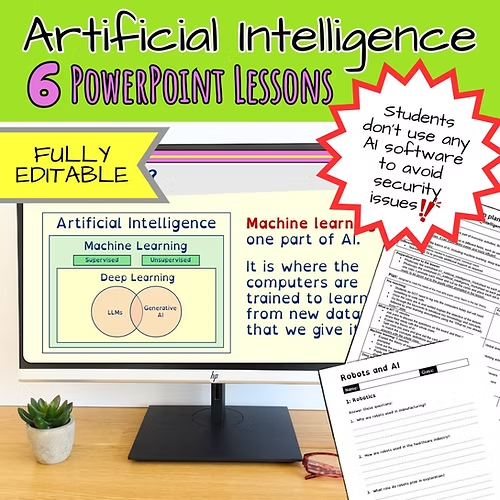
If you’re looking for ready-to-use, engaging lessons that help pupils understand AI, I’ve put together a bundle of 6 ready to use lessons for Key Stage 3 and GCSE.
The lessons cover everything from what AI is and how it affects our lives to ethics, expert systems and more. You can find out exactly what’s included and see how these lessons could work in your classroom by clicking here: