

The National Museum of Computing: your teacher guide to a memorable school trip
The National Museum of Computing: your teacher guide to a memorable school trip
I’ve just had an amazing day out at The National Museum of Computing near Milton Keynes and I’m still buzzing. If you teach computing and you’re looking for a school trip that feels genuinely purposeful, this one is well worth a look.
Best for: real computing history plus hands-on workshops
Location: Bletchley, near Milton Keynes
Bletchley Park and The National Museum of Computing are two separate organisations, even though they sit right next to each other. Schools can visit either one on its own or combine both for a jam-packed day.
In this post I’m focusing only on The National Museum of Computing, with a look at what KS3 and GCSE groups can expect, how the different school trip packages work and the practical details that make organising a school visit feel much more straightforward.
A talk that brought the story to life
One of the highlights of my visit was a talk by Alan Green, one of the museum’s volunteers, on Tunny and Colossus and it was genuinely absorbing.
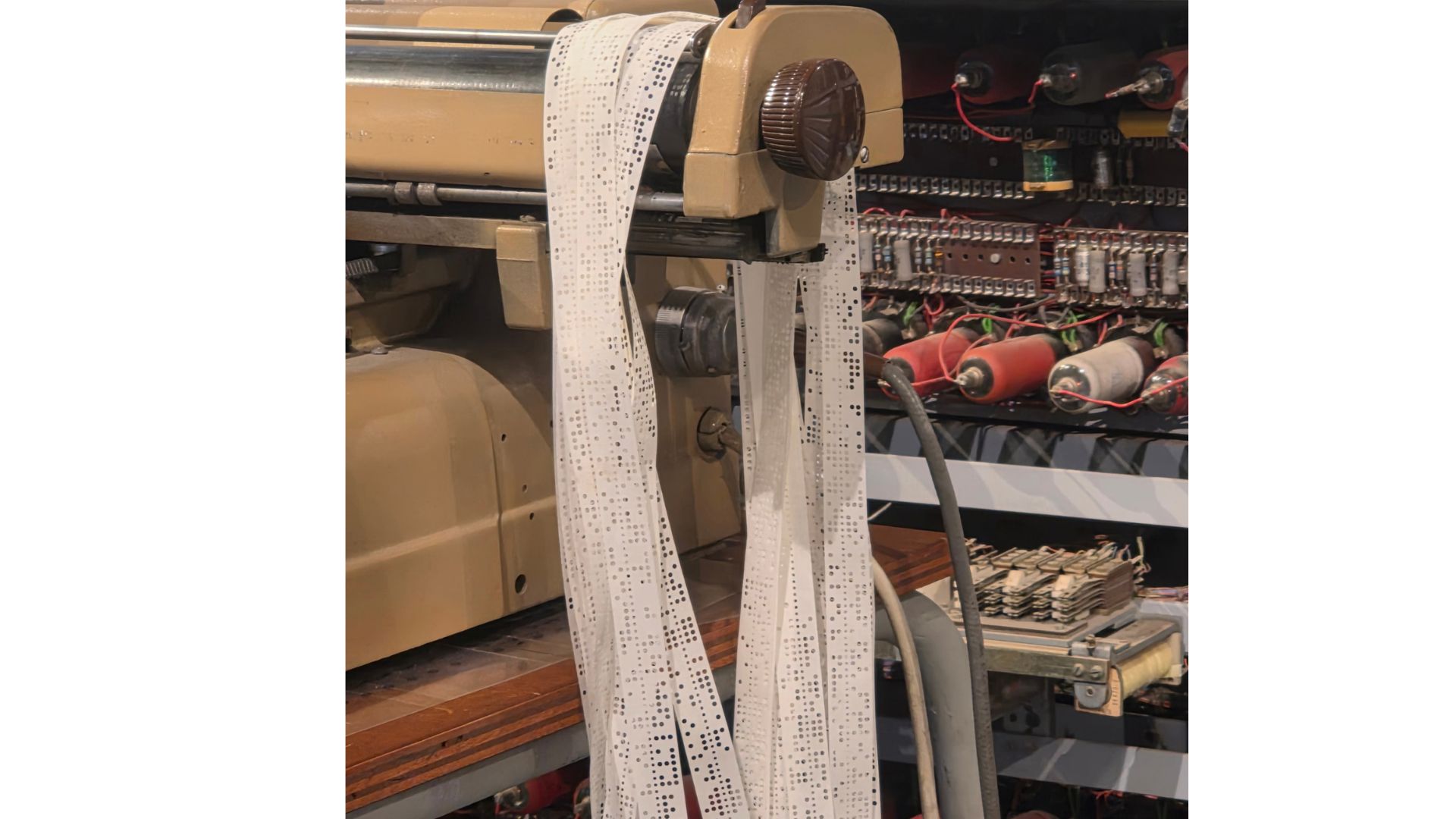
Tunny was a paper tape code breaking machine. Colossus was the world’s first programmable electronic computer and it helped decipher Tunny messages in the Second World War.
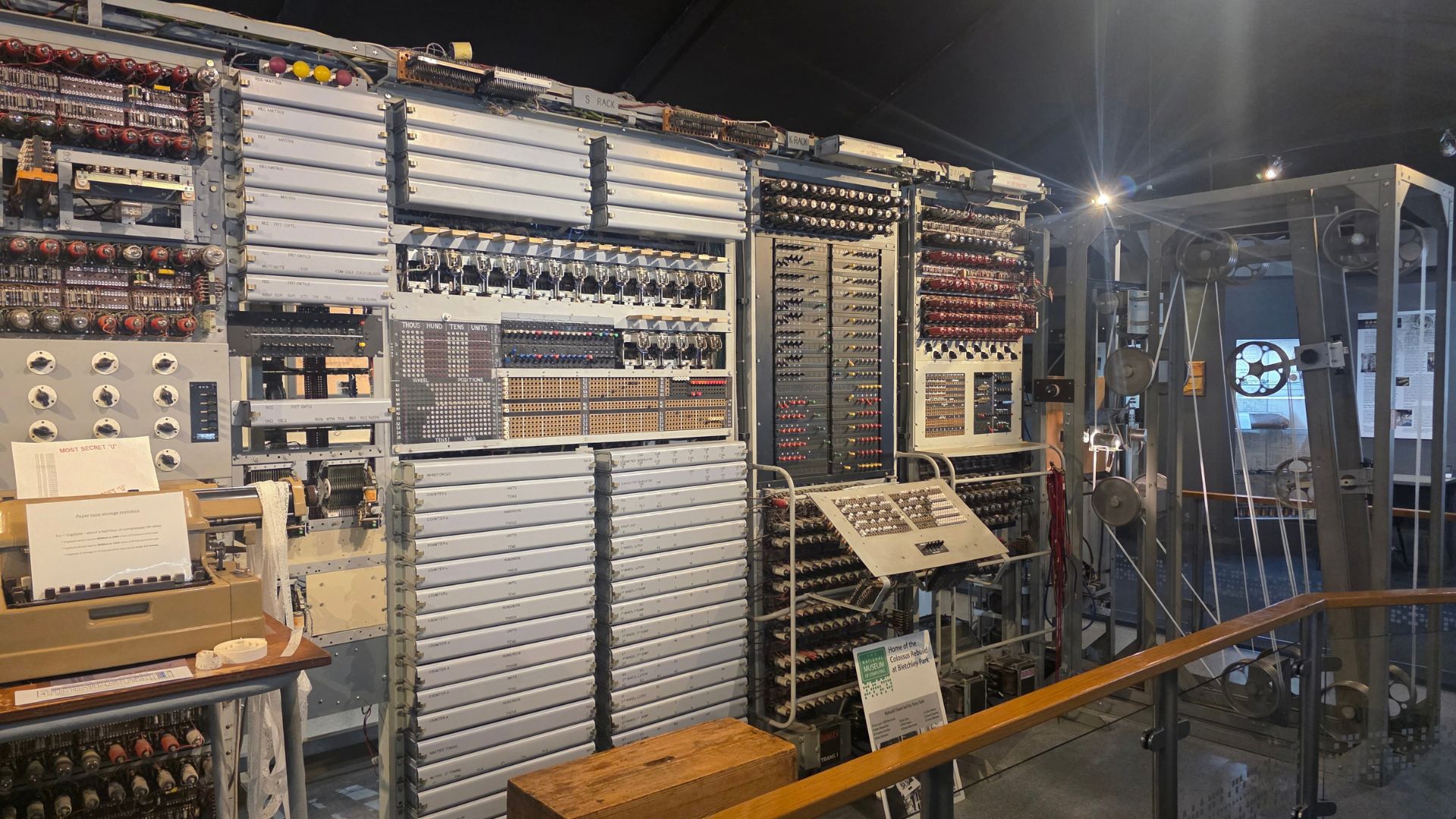
Alan explained how the machines worked, the progress they made, why they were built, the people involved and how they supported the war effort. This talk isn’t part of the standard school trip programme but it gave me a real sense of just how passionate the volunteers are.
What really stood out was the delivery. Alan was entertaining, warm and clearly passionate about the topic. I was transported into a story by someone who cares deeply, has enviable knowledge of the topic and still knows exactly how to make complex ideas understandable.
And it wasn’t just Alan. The museum team are full of people who are excited to share their knowledge and brilliant at breaking down technical subjects into memorable explanations. You leave feeling more curious, more confident and more connected to the history.
A manageable museum that still feels rich
The National Museum of Computing itself is fairly small which makes it very manageable for a school visit. You get all the interest without the overwhelm.
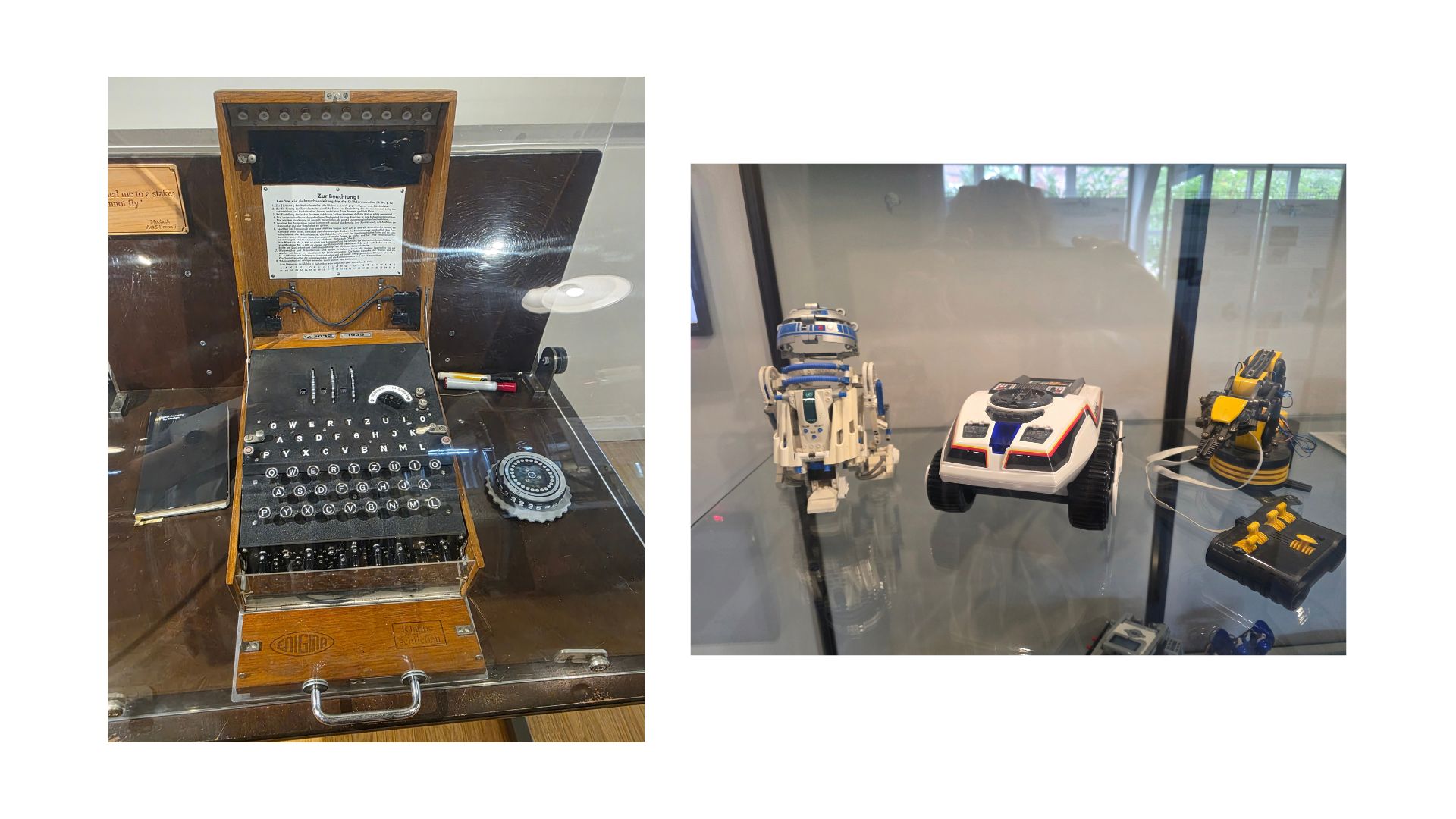
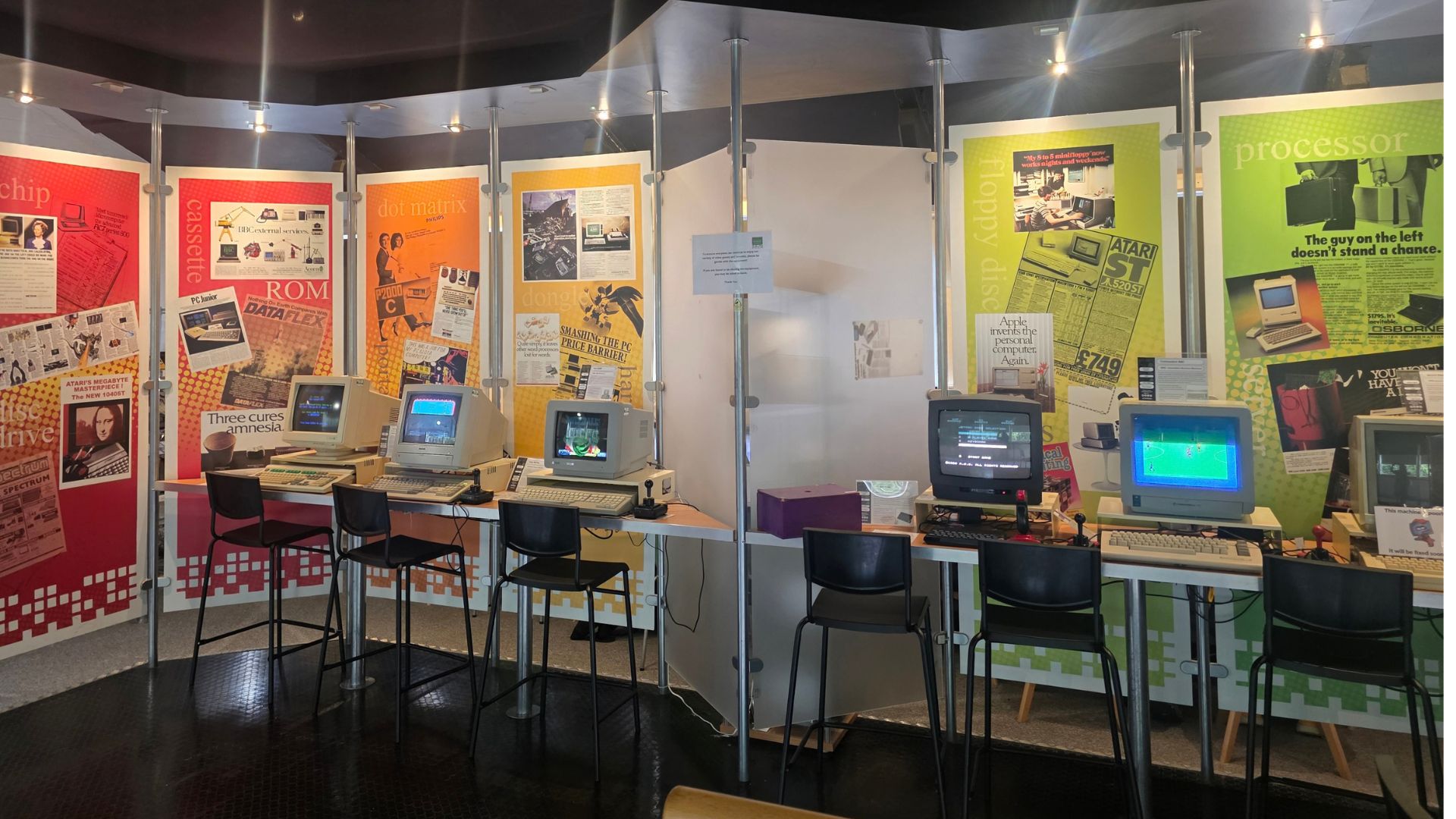
There’s a thorough journey through computing history with plenty of machines showing the development over time. You’ll see early machines including the Enigma machine, the Turing Bombe and Colossus with their valves and miles of wiring. You’ll also see more modern computing such as office machines from the 80s, personal computers, retro gaming, mobile phones and the development of calculators.
Something that surprised me
One thing I found genuinely interesting was how mechanical so many of the early machines are. I’ve always known they ran on valves and clunking machinery. What surprised me was the sound.
When they start up they’re constantly clicking, clanging and banging. You can’t help but imagine how hard it must have been to concentrate on breaking complex codes with that constant noise in the background.
It’s a brilliant moment for pupils because it makes the history feel real.
It also helps pupils understand that computers didn’t start with a fully formed laptop. Each invention stood on the shoulders of previous ideas, building step-by-step into the complex multi-functional machines we have today.
It’s the kind of place where pupils can see that computing is not just coding. It’s about people, problem solving, design constraints, ethics, creativity and a lot of persistence.
School trip packages: gold, silver and bronze
The National Museum of Computing offers gold, silver and bronze packages. KS3 and GCSE school trips work particularly well for groups up to 60. If you have 60 pupils they’ll be split into three groups of 20 and rotate between three sessions. They do offer visits for KS2 and older pupils but in this post I’m focusing on the KS3 and GCSE options.
Gold package
For KS3, a typical activity package runs for three hours from 11:00 to 14:00. If you’re travelling from up to an hour away, it’s long enough to feel worthwhile but still fits comfortably within the school day.
You choose one activity focus to complement what your pupils are learning in school. At the time of writing, these options include:
Robotics and AI: hands-on experience with the Turing Test (spotting whether you are “talking” to AI or a real person) plus training AI systems and exploring ethics
Data representation: code breaking using Morse code and binary
Women in computing: exploring the contribution of women in computing history
Enigmatic encounters: understanding how the Enigma machine enciphered messages and solving encryption challenges
GCSE groups have slightly different options available including:
Moore’s Law trail: exploring the chemistry of computers
Encryption and primes: investigating how prime numbers led to modern encryption and communication
Alongside the chosen activity, groups also rotate through:
BBC BASIC workshop: programming a Snake game (and for GCSE groups they can have an VR problem solving experience or the BBC BASIC workshop)
Guided museum tour: led by a knowledgeable facilitator and culminating in the very popular retro gaming section where pupils can play a variety of classic computer games
A typical rotation looks like this:
There’s a lunch break between slots 2 and 3.
Teachers are there mainly for crowd control and support. The museum’s own facilitators run the sessions taking the pressure away from the teachers who may even wish to take part in the activities alongside their pupils.
Silver package
The Silver package is particularly helpful if you’re combining the day with a Bletchley Park visit. It includes a guided tour from 15:00 to 17:00 but none of the activities.
Bronze package
The Bronze package is a self-guided tour of the museum from 15:00 to 17:00. This option is only available on Tuesdays and Thursdays and has a maximum of 40 learners.
If you’re not sure which package fits your group, the team at The National Museum of Computing, will talk it through with you.
Practical notes that make the day smoother
It’s worth noting that you should book as far in advance as you can, especially if you want a specific date or package.
A few logistics that are helpful to know:
Large coaches can pull up in the car park to drop pupils off but then need to leave the site and park at the nearby stadium before returning to pick you up later.
Mini-buses can park in the car park
Arrival, lunches and a helpful base room
When pupils arrive they’re taken to a meeting room for an introductory talk. This is also where they can leave bags, lunches and coats. The meeting room is locked while groups are in their sessions.
At lunchtime pupils return to the meeting room to eat.
There is a small café on site, but it is recommended pupils bring their own packed lunch.
If it’s your first time organising a computing school trip
The staff at The National Museum of Computing are experts at creating highly effective educational visits that meet your school’s needs. Even if it’s your first time organising a computing school trip they’ll help you through the process and make it feel straightforward.
From providing on-site risk assessments (for your time within the museum but not including the travel) to including free staff tickets (for KS3 and above that is 1 free staff ticket for every 10 students booked).
If you need to alter the start and finish times or need something for a group with particular needs contact the museum directly [email protected]. They are genuinely happy to make adaptations and adjustments to make it work for you and your pupils.
I was especially impressed by how they support anxious pupils by sharing information before arrival to help support staff talk pupils through what to expect so they can feel prepared.
They also warn where noisy machines are and have quiet days for pupils who are sensitive to loud noises.
Final thoughts
If you want an educational school trip that feels like it genuinely supports your curriculum while also giving pupils something memorable, The National Museum of Computing is a brilliant option. It’s practical, engaging and full of people who love what they do.
If you’re considering it for your school, I’d recommend reaching out to the museum team with your year group, numbers and they’ll help you shape a day that fits.
Find out more and book your visit here https://www.tnmoc.org/
FAQs
How long do you need at The National Museum of Computing on a school trip?
The gold package includes activities and lasts 3 hours but a 2-hour visit for silver or bronze works well if you are combining the visit with Bletchley Park.
Which package should you choose: gold, silver or bronze?
Choose gold if you want structured, curriculum-linked workshops, silver if you want a guided museum experience alongside a Bletchley Park day and bronze if you want a shorter self-guided visit on a tighter budget. If you’re unsure it’s best to contact the museum staff and talk through your year group, numbers and needs so they can recommend the right fit.
Is The National Museum of Computing suitable for anxious pupils or sensory needs?
Yes, the team can share information in advance, flag noisy areas, offer quieter options and adapt the day to help pupils feel prepared and supported.
Is The National Museum of Computing wheelchair accessible?
Yes. The museum is all on one level with ramps to any raised areas so visitors can access the galleries and displays.
Can we take photos during our visit?
Yes, you can take photos for things like your school newsletter, just make sure you follow your school’s policy on photographing pupils and sharing images.
Please note: This is not a sponsored post and I’m not affiliated with The National Museum of Computing. I’m simply sharing my experience.

