

Teaching cybersecurity to KS3 computing and GCSE computer science pupils
Teaching cybersecurity to KS3 computing and GCSE computer science pupils
Teaching cybersecurity can end up being taught like a checklist.
Passwords… done,
Malware… done,
GDPR… done.
Looking for a clear way to teach cybersecurity in schools without it feeling like a disconnected checklist? This guide maps what to teach in KS3 computing and GCSE computer science so pupils build real-world judgement, not just exam definitions.
If they only ever teach cybersecurity in revision mode, it is no surprise when they switch off or assume it is only relevant to big companies and people in hoodies in dark rooms.
But that is not how pupils experience their online lives. They are dealing with dodgy links, fake accounts, pressure to share things, group chats that spiral and messages that are designed to get a reaction. They’re making decisions in seconds, often on a phone, often when they’re tired or when they don’t want to look silly in front of their friends.
If we only teach the GCSE content, we miss the chance to build the habits and judgement they actually need much earlier on, so they can stay safe, think clearly and act responsibly online.
Below is a practical guide to what to cover, why it matters and which key stage it best suits. Use it as a planning checklist or a curriculum map when you’re trying to work out what to teach your computing students first.
The three layers of cybersecurity that build on each other
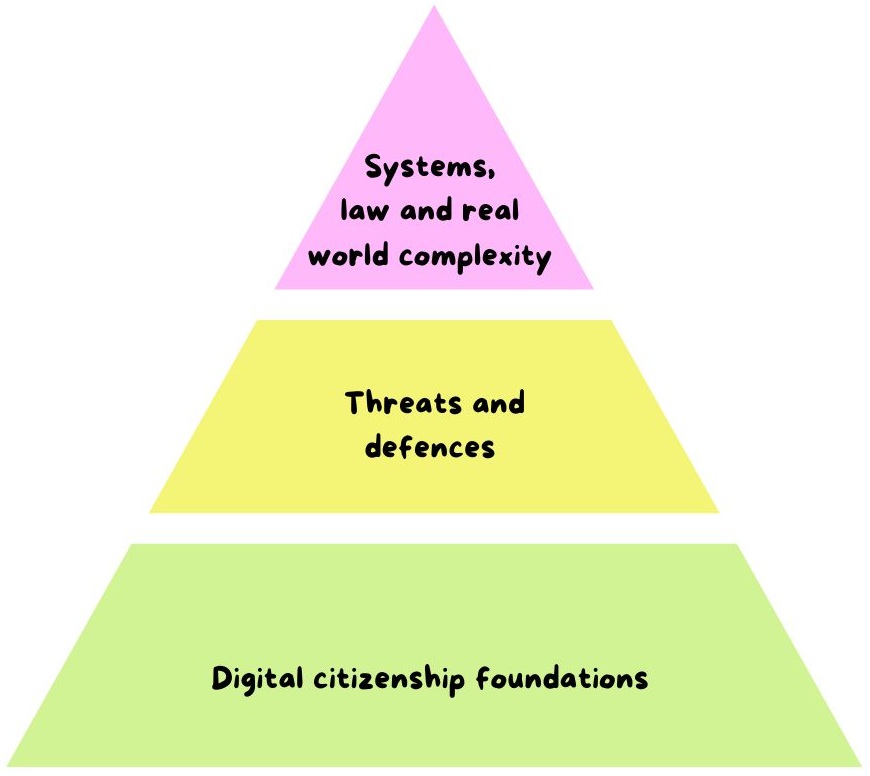
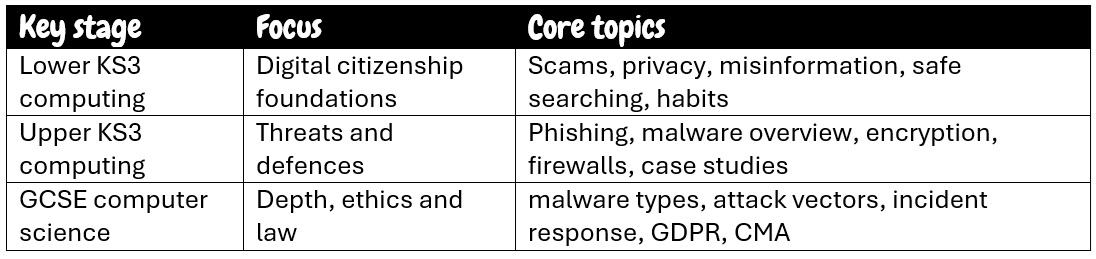
Think of cybersecurity progression as three layers.
Digital citizenship foundations (lower KS3): habits, judgement and everyday safety.
Threats and defences (upper KS3): how attacks work, how protection works and how people get tricked.
Systems, law and real-world complexity (GCSE): deeper technical understanding, incident response and ethical decision making.
We’re not trying to scare pupils, we’re trying to help them feel calm and confident online.
Lower KS3 computing: digital citizenship foundations
This is where you teach pupils how to live online without putting themselves in danger. They don’t need to know what SQL injection is yet. They do need to know what a scam looks like, how to check something before sharing it and how to look after themselves.
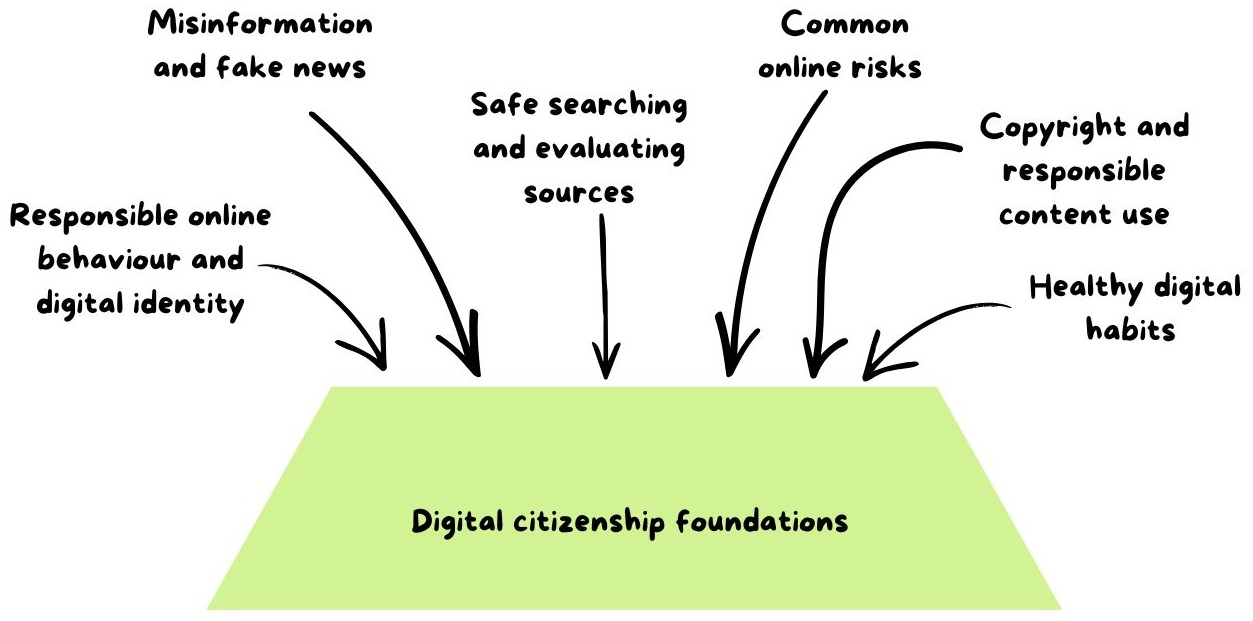
What to cover
Responsible online behaviour and digital identity
Misinformation and fake news
Safe searching and evaluating sources
Common online risks (scams, cyberbullying, privacy breaches)
Copyright and responsible content use
Healthy digital habits (screen time, digital fatigue, balance)
Pupils are already making high stakes decisions online every day, often with very little guidance beyond a quick warning or a one-off assembly.
Teaching these foundations properly means you are reducing harm now, not waiting until GCSE when the consequences can be bigger and the habits are harder to shift.
It also gives you a shared language for the rest of KS3, so when you later teach things like phishing and other social engineering, pupils already understand how manipulation works, what trust looks like online and why a small choice can have a big impact.
This works really well for Year 7 and Year 8, especially early KS3, and it is also a great reset after an incident, during a pastoral focus week or any time a year group just needs a reminder.
Upper KS3 computing: threats, defences and the human element
Upper KS3 is where pupils start to understand how cyber-attacks work at a high level and why protection is layered. It is also where you can teach the most important part of cybersecurity. People are often the weak point.
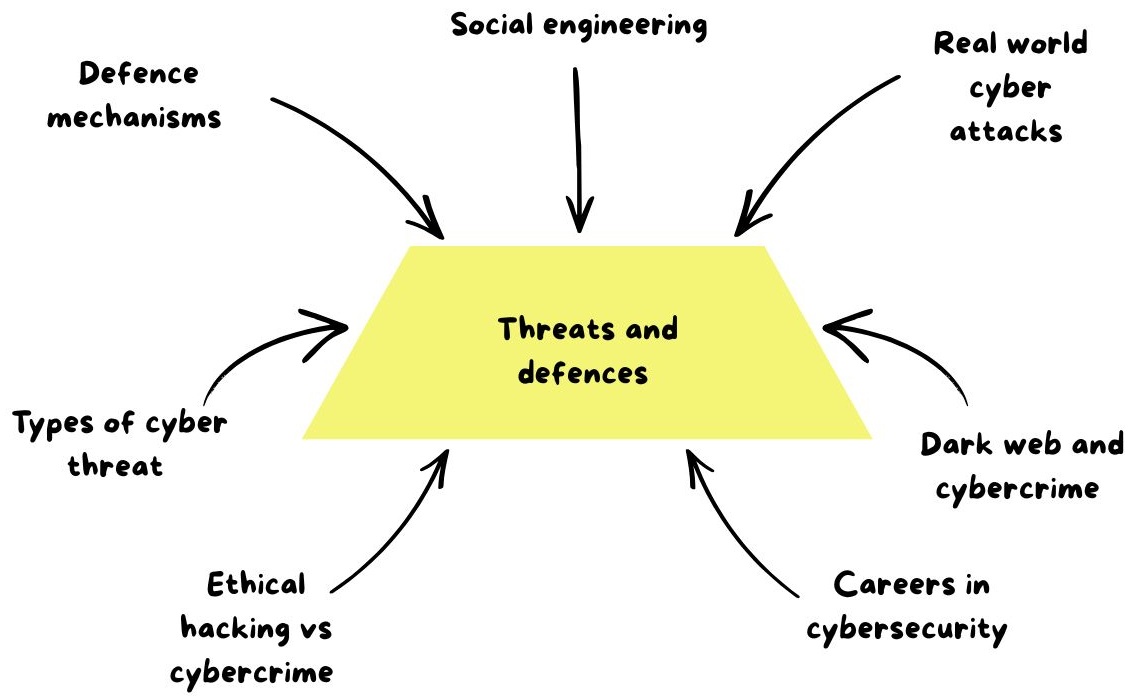
What to cover
Types of cyber threat and their impact on people, businesses and society
Defence mechanisms (passwords, encryption, firewalls, backups) linked to everyday choices
Social engineering (phishing, vishing, baiting) and practical ways to reduce human error
Real world cyber attacks using age appropriate case studies
Dark web and cybercrime at a high level, with a strong safety and legal focus
Ethical hacking vs cybercrime including consent and responsible testing
Careers in cybersecurity and routes into the field
At this stage, pupils start to move from following rules to understanding the reasoning behind them.
Instead of simply being told to use strong passwords or turn on security settings, they learn why a defence works and the problem it’s actually trying to solve.
Using case studies also helps them think more critically because they can see how real incidents unfold and what the consequences look like beyond the classroom, for individuals, schools and businesses.
Adding careers content gives the topic a sense of purpose too, particularly for pupils who enjoy problem solving but do not automatically see themselves as “techy”, because it shows there is a place for them in cybersecurity and more than one route into it.
This is ideal for Year 8 and Year 9, with a bit of flexibility depending on your cohort, and it works brilliantly as a half term unit that links naturally into GCSE.
GCSE computer science: depth, realism, ethics and law
At GCSE, you can go deeper and more technical, but the best GCSE teaching still connects to real-life. Pupils should leave understanding that cybersecurity is not just a technical problem, it’s a people problem, a process problem and sometimes a values problem.
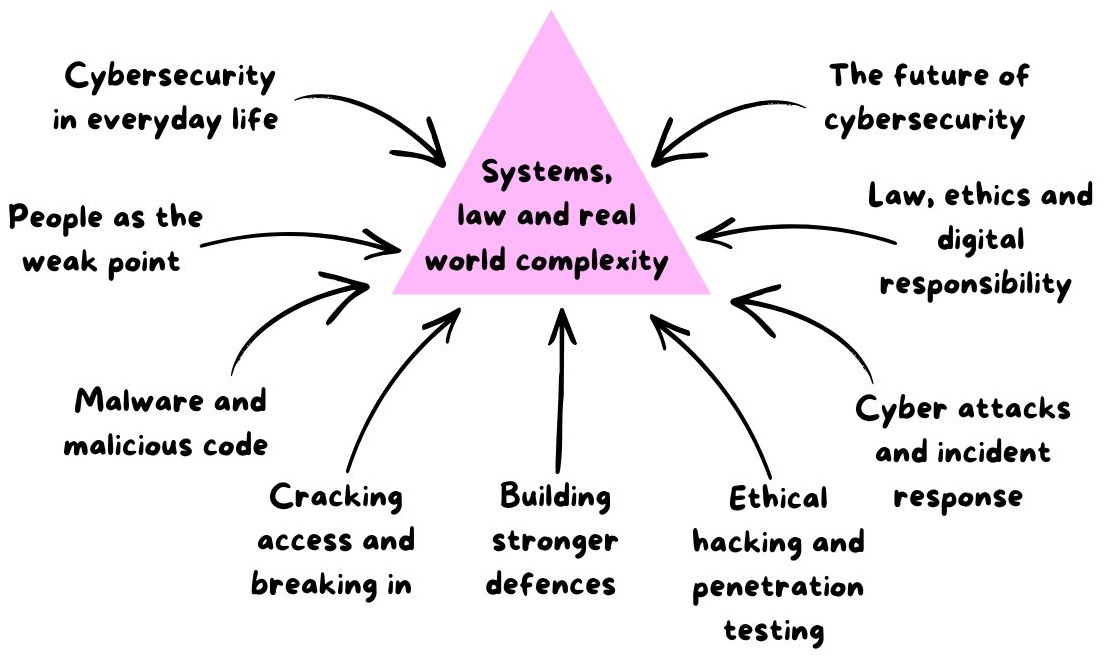
What to cover
Cybersecurity in everyday life and why weak protection causes real disruption
People as the weak point (social engineering, phishing, blagging, shoulder surfing)
Malware and malicious code (viruses, trojans, worms) and how safe habits reduce risk
Cracking access and breaking in (weak passwords, brute force, removable media, SQL injection, interception) and layered defences
Building stronger defences (firewalls, encryption, access levels, biometrics, patching, updates, physical security)
Ethical hacking and penetration testing and why permission matters
Cyber-attacks and incident response (stages of an incident, denial of service, botnets, organisational response and recovery)
Law, ethics and digital responsibility (GDPR, Computer Misuse Act, privacy vs surveillance)
The future of cybersecurity (AI generated phishing, deepfakes, IoT risks, quantum computing, cyber warfare) with realistic solutions
Pupils absolutely need exam success, but they also need a realistic understanding of how attacks actually happen in the real-world so the content does not stay stuck as a set of definitions to memorise.
Bringing in ethics and law is what keeps cybersecurity grounded and responsible because it turns the topic into “how to think”, weighing up permission, impact and consequences.
Future focused content matters for the same reason. It helps pupils see that cybersecurity is evolving quickly and that the most valuable skill they can develop is good judgement, especially as new risks emerge and the lines between real and fake become harder to spot.
This is best for Year 10 and Year 11, but you can also dip into parts of it as stretch content for high attaining KS3 groups.
A simple curriculum map you can use in you computing lessons
If you want a quick curriculum logic, here is a straightforward sequence.
Start with digital citizenship so pupils can navigate online life safely.
Add threats and defences so they understand what is happening behind the scenes.
Finish with ethics, law and real-world complexity so they can make responsible decisions.
Ready-to-teach cybersecurity units (KS3 and GCSE)
Planning cybersecurity units that teach pupils well takes time and time is the one thing teachers don’t have.
The good news is I’ve already done the hard work for you and I have three complete units that follow this progression.
A lower KS3 digital citizenship unit to build foundations
An upper KS3 cybersecurity unit to introduce threats, defences, real world attacks and careers
A GCSE cybersecurity unit that goes deeper into malware, access, defences, incident response, law, ethics and the future
Each unit includes editable lesson slides, student worksheets and clear tasks with answers so you can teach confidently without building everything from scratch. They’re mapped to a sensible progression and designed to fit into your scheme of work with minimal tweaking.
Have a look if you fancy it and see whether they would work for your scheme of work. No pressure at all. I just want to make cybersecurity easier to teach properly without it taking over your evenings and weekends.
Frequently Asked Questions
What should be taught in cybersecurity at KS3?
At KS3, cybersecurity should build pupils’ everyday judgement first then introduce threats and defences in a way that connects to real-life. Start with digital citizenship foundations like privacy, scams, misinformation, safe searching, strong passwords and healthy online habits. Then move into how attacks work at a high-level, including phishing and other social engineering, malware basics, why updates matter and why defences are layered. The goal is that pupils can spot risks, pause before reacting and make safer choices, not just recite keywords.
How is cybersecurity assessed at GCSE computer science?
At GCSE, cybersecurity is assessed through written exam questions that test knowledge, understanding and application. Pupils need to define key terms, explain how an attack or defence works and apply their understanding to scenarios, for example choosing suitable protections for a school network or explaining how a phishing attack could lead to a data breach. They can also be asked to compare methods, evaluate the effectiveness of security measures and discuss ethical and legal issues. Strong answers use accurate terminology, link cause and effect clearly and stay grounded in the context given.
What are the most important cybersecurity topics for Year 7?
For Year 7, focus on the things they meet every day online so they build safe habits early. The most important topics are recognising scams and suspicious links, managing passwords and accounts, understanding privacy and digital footprints, safe behaviour in group chats and online communities and how to check information before sharing it. Add a simple introduction to malware as “harmful software” and what to do if something feels wrong, like stop, tell a trusted adult and report using school systems. If they leave Year 7 thinking “pause, check, protect, report” you’ve done the most valuable part.
How do you teach phishing safely in school?
Teach phishing through safe, simulated examples and a clear routine pupils can practise. Use screenshots or teacher-made mock messages rather than real emails and avoid linking to anything external. Show common patterns like urgency, fear, rewards, fake sender addresses and lookalike URLs then give pupils a checklist such as “stop, check the sender, check the link, check the ask”. Keep it practical by using short scenarios they might actually see, like a fake delivery message or a gaming account warning and always finish with what to do next, report it, delete it, ask for help. Make it explicit that the lesson is about spotting manipulation, not trying to trick pupils.
What laws do pupils need to know for GCSE cybersecurity?
For GCSE, pupils should know the basics of the Computer Misuse Act and how it links to hacking and unauthorised access, even if no damage is intended. They should also understand GDPR and the idea of personal data, lawful processing and why organisations must protect data properly. It helps to connect both to school-based examples, like accessing someone else’s account, installing software without permission or sharing personal information inappropriately. The key message is that permission matters, intent matters and digital actions have real consequences.

